What is Ping?
 Chan
Chan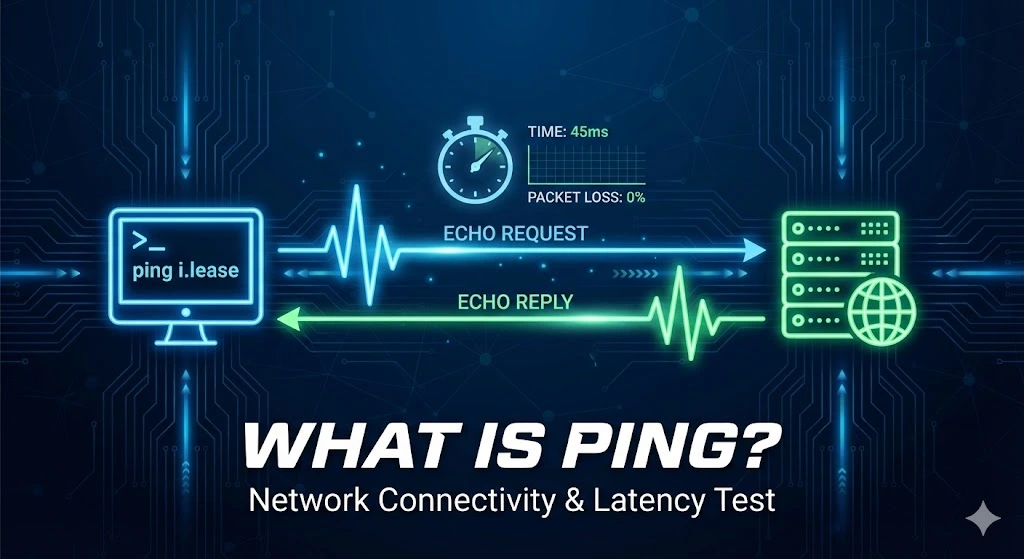
Ping is a network diagnostic tool used to test the connection between your device and another on a network, typically the Internet. It is named after the sound made by sonar in submarines, where a signal is sent out, and the echo is awaited. In networking terms, it sends out packets of data to a specific IP address and waits for a response, telling you if the destination is reachable and how long it takes for data to travel back and forth.
Table of Contents
How Does Ping Work?
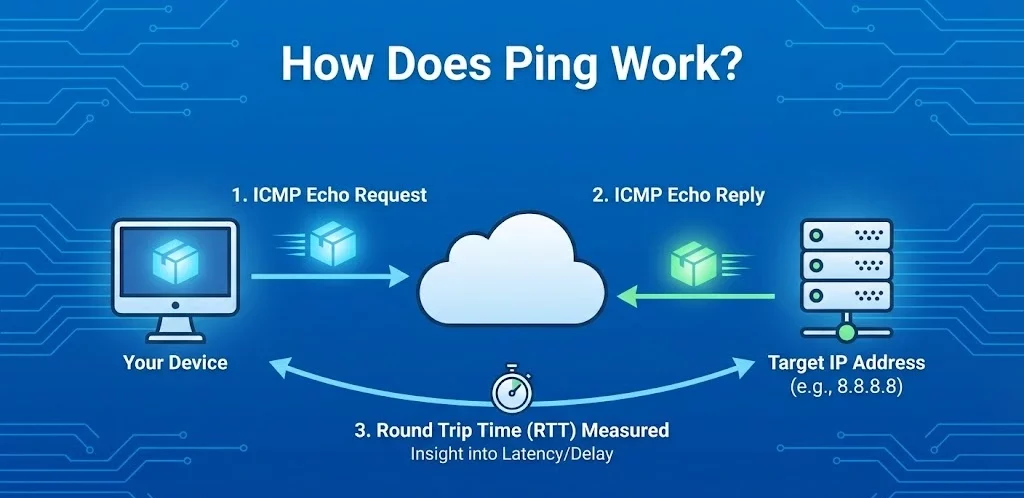
Ping operates using the Internet Control Message Protocol (ICMP). When you run a ping command, your device sends ICMP Echo Request1 packets to the target IP address. If the target is reachable, it responds with an ICMP Echo Reply2. The time for this round trip3 (sending and receiving packets) is measured, giving insight into the connection’s latency or delay.
How to Use Ping Commands
Using ping is straightforward:
-
- Windows: Open Command Prompt (cmd).
- macOS/Linux: Open Terminal.
- Type ping followed by the domain name or IP address you want to check.
For example, typing ping google.com will send ping requests to Google’s servers, showing how quickly you can connect to it.
How to Run a Ping Network Test
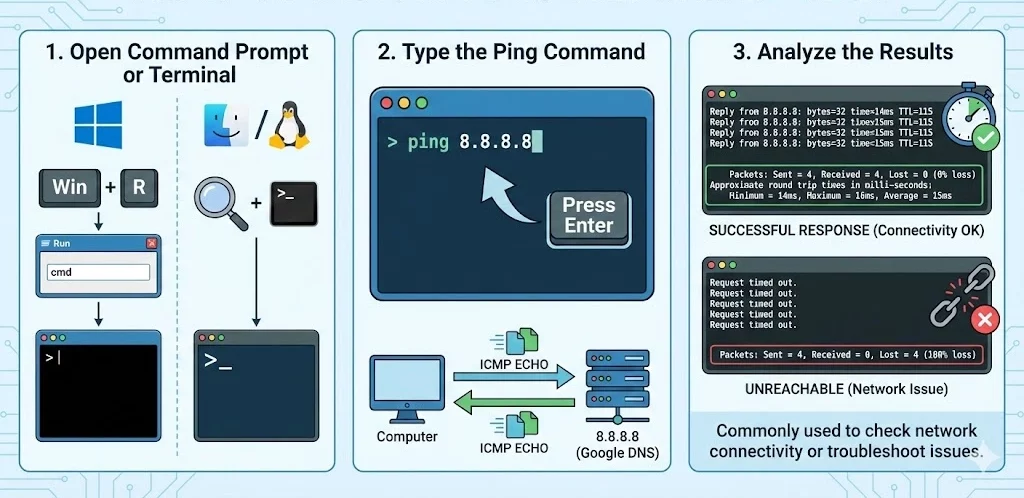
1. Open a Command Prompt or Terminal:
- Windows: Press Win + R, type cmd, and press Enter.
- macOS/Linux: Open the Terminal from the Applications or search it in Spotlight (macOS) or from the applications menu (Linux).
2. Type the Ping Command:
- In the command prompt or terminal, type ping followed by the IP address you want to test.
- Example: ping 8.8.8.8 (This is Google’s public DNS server).
- Press Enter, and the command will send several packets to the IP address and display the response time in milliseconds (ms).
3. Analyze the Results:
If the packets are received, you’ll see the time it took for the round-trip in milliseconds. If the destination is unreachable, you’ll see a message indicating that the request timed out.
This method is commonly used to check network connectivity or troubleshoot network issues.
When Would Using the Ping Command Be Useful?
1. Troubleshooting Connectivity: If you’re having issues with Internet access, Ping can tell you if the problem lies with your Internet connection or the specific website you’re trying to reach.
2. Checking Latency: If you notice lag or slowness while using an app or website, ping can help determine if the issue is due to network delays.
3. Testing Network Devices: Ping can test if devices like printers, routers, or other network resources are reachable.
What Does the Ping Test Tell You?
1. Packet Loss: If some packets are lost in transit, it might indicate an unstable connection.
2. Latency: The time taken for data to travel to the target and back. High latency means slower performance, especially for real-time applications like gaming or video conferencing.
3. Unreachable Host: If a host doesn’t respond, it could indicate the target is down, the IP address is incorrect, or network/firewall settings are blocking the request.
Ping Flood and Ping Spoofing
Ping Flood: A ping flood (also known as a DDoS attack) overwhelms a target with an excessive number of ping requests, causing network congestion or even taking the target down. This is usually a malicious action to disrupt services.
Ping Spoofing: This involves sending ping requests that appear to come from a legitimate source, fooling the target into responding. Spoofing is t
Trusted IPv4 Leasing for Business Growth
Get enterprise-grade IPv4 space quickly, with seamless deployment and end-to-end management.
Get Started with i.leaseFAQs
What is considered a "good" ping speed?
Generally, a ping under 20 ms is considered excellent, ideal for competitive gaming and high-quality streaming.
- 20-50 ms: Great for most online activities.
- 50-100 ms: Acceptable for web browsing but may cause noticeable lag in gaming.
- Over 150 ms: Considered high latency; you will likely experience delays, buffering, or “rubber-banding” in games.
How is Ping different from Latency?
While often used interchangeably, there is a slight difference. Latency is the time it takes for data to travel from your device to the server. Ping is the measurement tool used to calculate the round-trip time (latency) of that journey. Think of latency as the distance and ping as the speedometer reading.
Does high ping affect download speed?
Not necessarily. You can have a fast download speed (high bandwidth) but still have high ping (high latency). For example, satellite internet often has fast download speeds but very high ping due to the distance the signal travels. High ping affects responsiveness (how fast a page starts loading), while bandwidth affects throughput (how fast a file downloads once it starts).
Related Posts
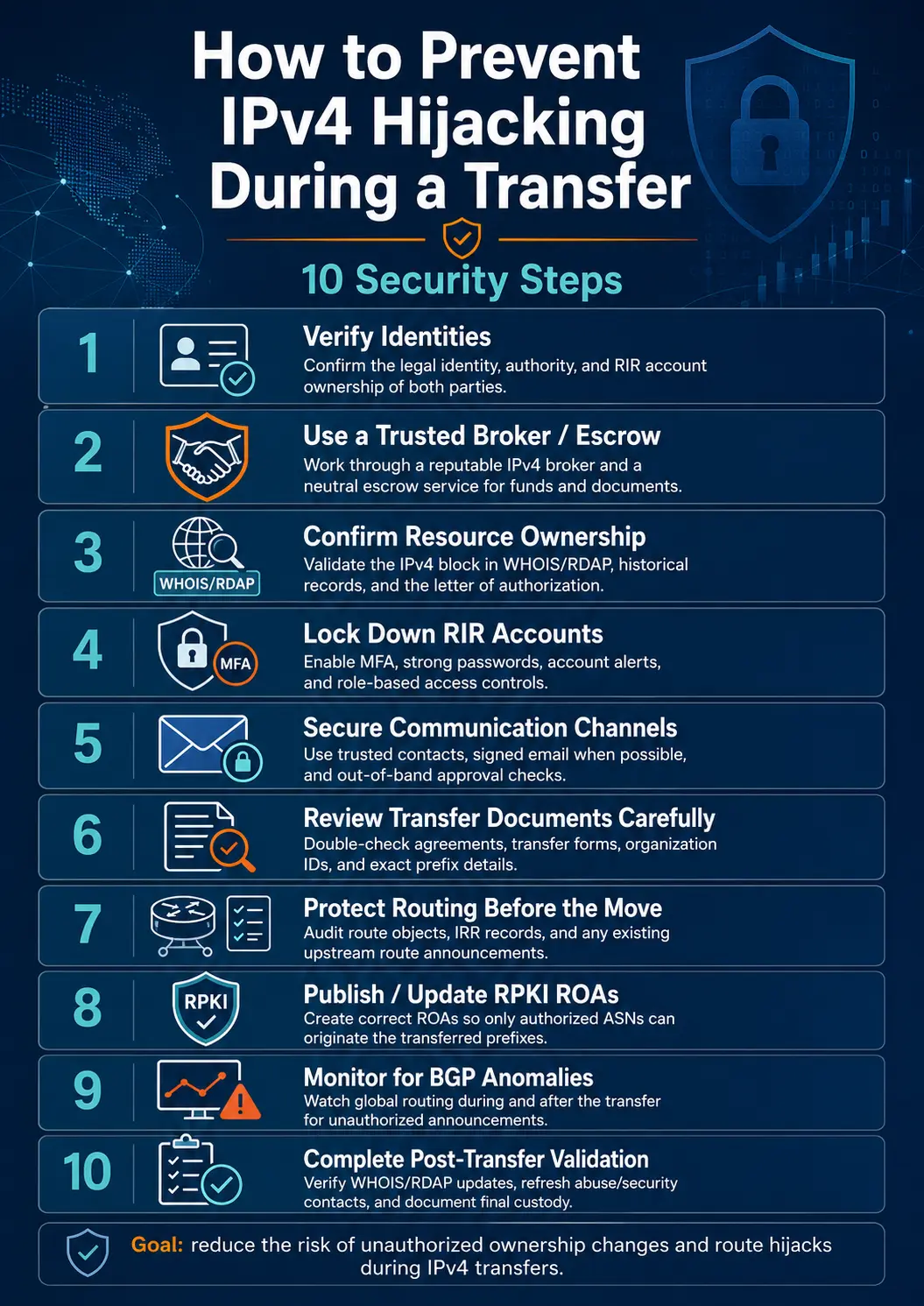
How to Prevent IPv4 Hijacking During a Transfer: 10 Security Steps
Transferring IPv4 address space is not only a commercial and registry process. It is also a sensitive routing operation. During an IPv4 transfer, control of a prefix moves from one organization to another. Registry records, Route Origin Authorizations, Internet Routing Registry objects, upstream-provider filters, reverse DNS settings, and live BGP announcements may all need to change. When these changes are completed in the wrong order—or when identity and authorizationRead more Related Posts How to Prevent IPv4 Hijacking During a Transfer: 10 Security Steps Transferring IPv4 address space is not only a commercial and registry process. It is also a sensitive routing operation. During Why the Cheapest IPv4 Lease May Cost More in the Long Run A low monthly price may look attractive during procurement, but the real cost of leased IPv4 addresses includes much more What Is a /24 IPv4 Subnet and Why Is It Popular for Leasing? A /24 IPv4 subnet is one of the most common block sizes in the IPv4 leasing market. For hosting providers, .related-post {} .related-post .post-list { text-align: left; } .related-post .post-list .item { margin: 5px; padding: 10px; } .related-post .headline { font-size: 18px !important; color: #999999 !important; } .related-post .post-list .item .post_thumb { max-height: 220px; margin: 10px 0px; padding: 0px; display: block; } .related-post .post-list .item .post_title { font-size: 16px; color: #3f3f3f; margin: 10px 0px; padding: 0px; display: block; text-decoration: none; } .related-post .post-list .item .post_excerpt { font-size: 13px; color: #3f3f3f; margin: 10px 0px; padding: 0px; display: block; text-decoration: none; } @media only screen and (min-width: 1024px) { .related-post .post-list .item { width: 30%; } } @media only screen and (min-width: 768px) and (max-width: 1023px) { .related-post .post-list .item { width: 90%; } } @media only screen and (min-width: 0px) and (max-width: 767px) { .related-post .post-list .item { width: 90%; } }
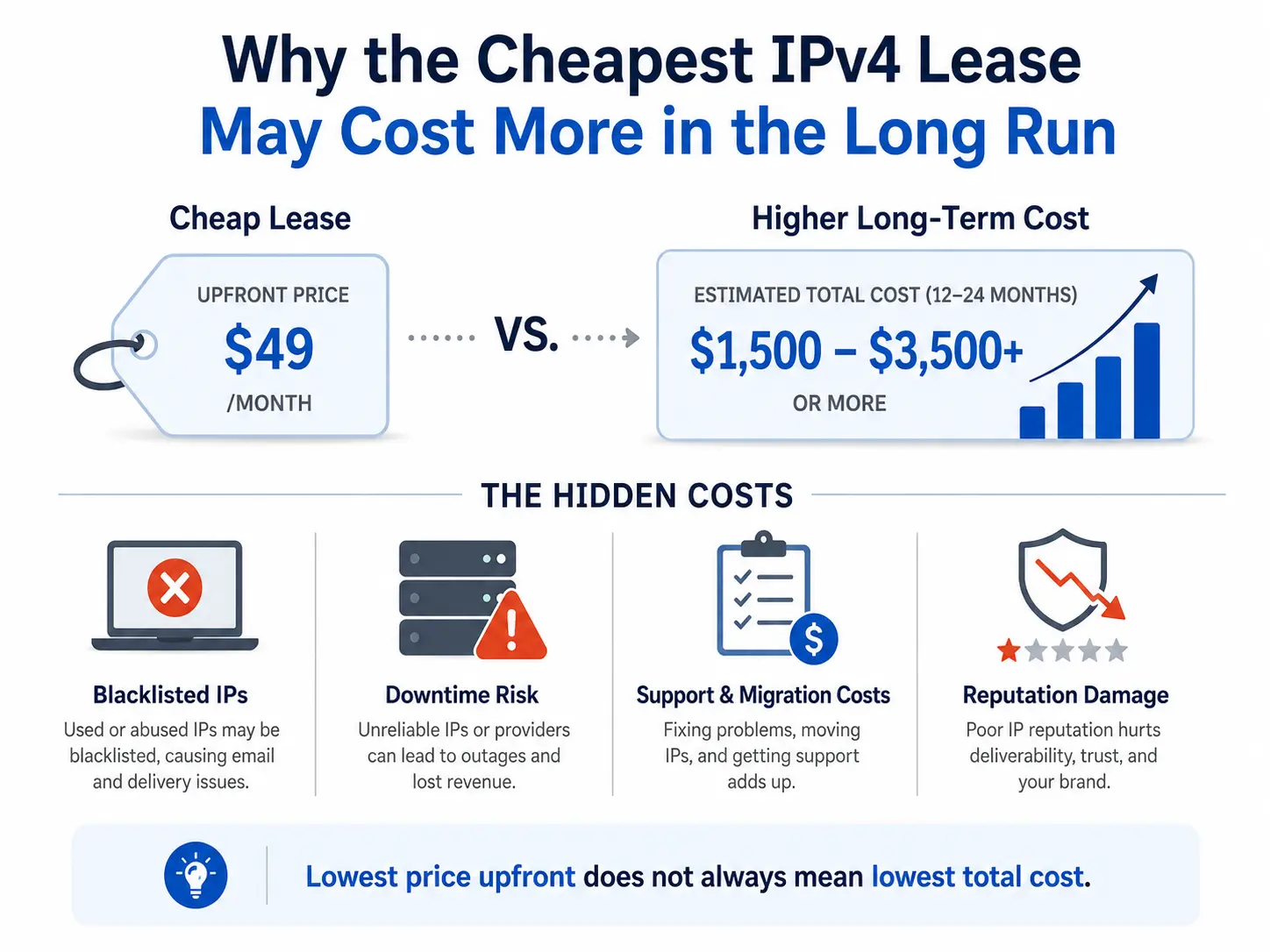
Why the Cheapest IPv4 Lease May Cost More in the Long Run
A low monthly price may look attractive during procurement, but the real cost of leased IPv4 addresses includes much more than the advertised rate. Poor IP reputation, incomplete routing authorisation, deployment delays, weak technical support, incorrect geolocation and uncertain renewal terms can quickly erase the initial saving. For testing or short-lived projects, a basic low-cost IPv4 lease may be sufficient. For production networks, however, businesses should evaluate the totalRead more Related Posts How to Prevent IPv4 Hijacking During a Transfer: 10 Security Steps Transferring IPv4 address space is not only a commercial and registry process. It is also a sensitive routing operation. During Why the Cheapest IPv4 Lease May Cost More in the Long Run A low monthly price may look attractive during procurement, but the real cost of leased IPv4 addresses includes much more What Is a /24 IPv4 Subnet and Why Is It Popular for Leasing? A /24 IPv4 subnet is one of the most common block sizes in the IPv4 leasing market. For hosting providers, .related-post {} .related-post .post-list { text-align: left; } .related-post .post-list .item { margin: 5px; padding: 10px; } .related-post .headline { font-size: 18px !important; color: #999999 !important; } .related-post .post-list .item .post_thumb { max-height: 220px; margin: 10px 0px; padding: 0px; display: block; } .related-post .post-list .item .post_title { font-size: 16px; color: #3f3f3f; margin: 10px 0px; padding: 0px; display: block; text-decoration: none; } .related-post .post-list .item .post_excerpt { font-size: 13px; color: #3f3f3f; margin: 10px 0px; padding: 0px; display: block; text-decoration: none; } @media only screen and (min-width: 1024px) { .related-post .post-list .item { width: 30%; } } @media only screen and (min-width: 768px) and (max-width: 1023px) { .related-post .post-list .item { width: 90%; } } @media only screen and (min-width: 0px) and (max-width: 767px) { .related-post .post-list .item { width: 90%; } }
What causes IPv4 deals to stall after the first agreement
IPv4 deals usually stall after the first agreement because agreeing on price is only the commercial beginning—not operational completion. A buyer and seller may agree on a block and price within hours, but the transaction can still be delayed by unclear ownership, incomplete documents, mismatched Regional Internet Registry requirements, recipient eligibility, reputation concerns, payment conditions, or missing routing authorization. The most common causes are: The seller’s authority over theRead more Related Posts How to Prevent IPv4 Hijacking During a Transfer: 10 Security Steps Transferring IPv4 address space is not only a commercial and registry process. It is also a sensitive routing operation. During Why the Cheapest IPv4 Lease May Cost More in the Long Run A low monthly price may look attractive during procurement, but the real cost of leased IPv4 addresses includes much more What Is a /24 IPv4 Subnet and Why Is It Popular for Leasing? A /24 IPv4 subnet is one of the most common block sizes in the IPv4 leasing market. For hosting providers, .related-post {} .related-post .post-list { text-align: left; } .related-post .post-list .item { margin: 5px; padding: 10px; } .related-post .headline { font-size: 18px !important; color: #999999 !important; } .related-post .post-list .item .post_thumb { max-height: 220px; margin: 10px 0px; padding: 0px; display: block; } .related-post .post-list .item .post_title { font-size: 16px; color: #3f3f3f; margin: 10px 0px; padding: 0px; display: block; text-decoration: none; } .related-post .post-list .item .post_excerpt { font-size: 13px; color: #3f3f3f; margin: 10px 0px; padding: 0px; display: block; text-decoration: none; } @media only screen and (min-width: 1024px) { .related-post .post-list .item { width: 30%; } } @media only screen and (min-width: 768px) and (max-width: 1023px) { .related-post .post-list .item { width: 90%; } } @media only screen and (min-width: 0px) and (max-width: 767px) { .related-post .post-list .item { width: 90%; } }
