Private vs. Public IP Addresses: Understand the Basics
 Chan
Chan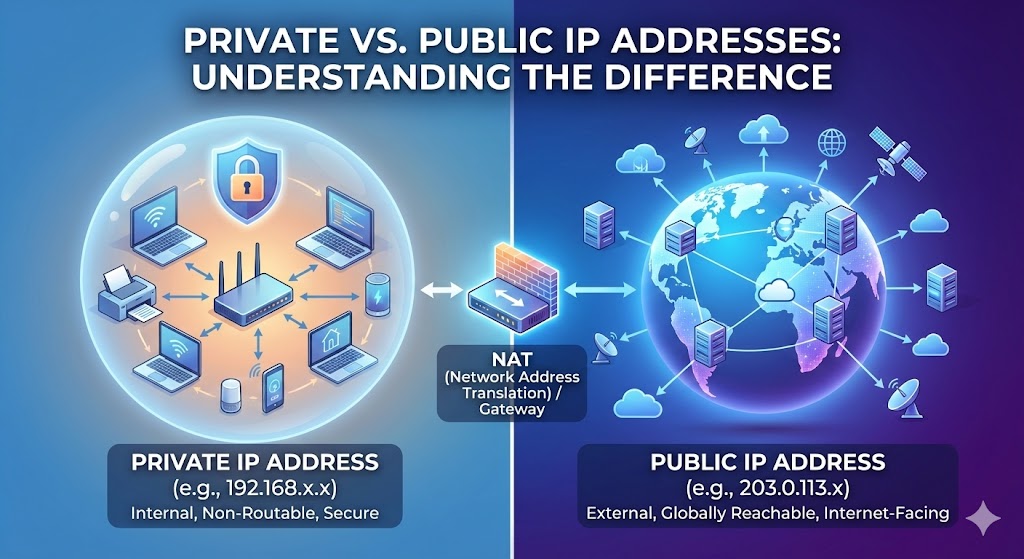
In today’s interconnected digital world, the concept of IP addresses is fundamental to how devices communicate over the internet. Whether you’re browsing the web, sending emails, or streaming your favorite shows, your device relies on an IP address to connect to other devices and servers. But did you know that there are different types of IP addresses, namely private and public? Let’s delve into the basics of private vs. public IP addresses in a language that’s easy to understand.
Table of Contents
IP Addresses in a simple explanation
Before that, let’s clarify what an IP address is. IP stands for Internet Protocol, and an IP address is a unique numerical identifier assigned to each device connected to a network. Think of it as your device’s digital fingerprint, which allows it to be identified and communicate with other devices on the internet.
Private IP Addresses
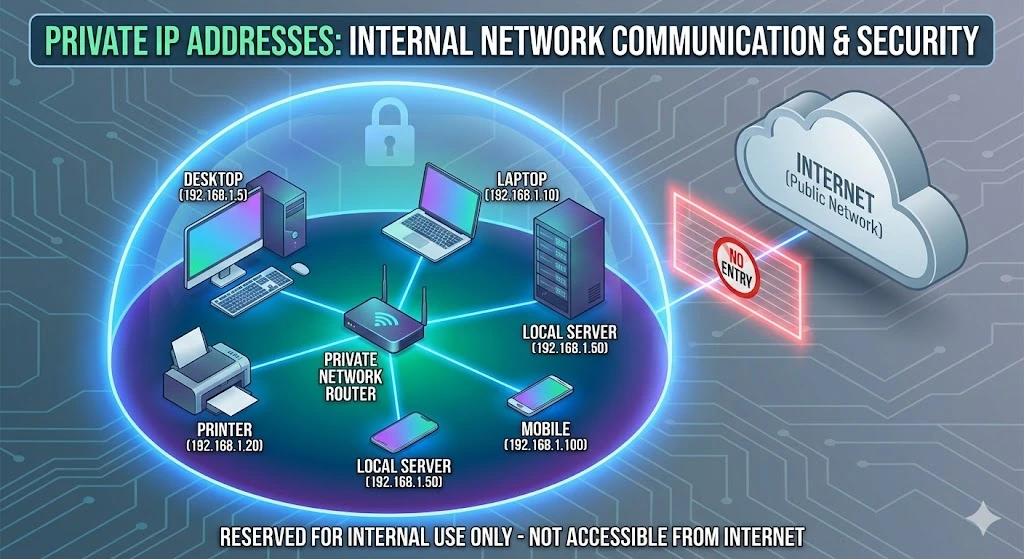
Private IP addresses are used within a private network, such as a home or business network, to identify devices and facilitate communication between them. These addresses are not accessible from the Internet and are reserved for internal use only. The most commonly used private IP address ranges are IPv4 and IPv6.
Private IP addresses enable devices within a network to communicate with each other, access shared resources like printers or servers, and maintain network security by restricting direct access from the internet.
Public IP Addresses
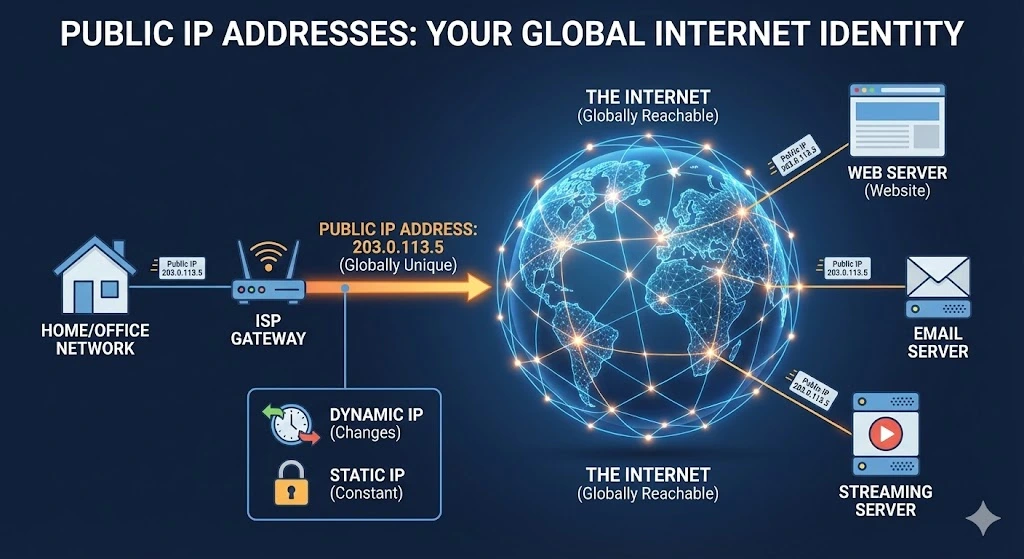
On the other hand, public IP addresses are globally unique addresses assigned to devices connected directly to the internet. These addresses are available across the internet and serve as the interface between a device and the rest of the online world. When you access a website, send an email or stream content, your device uses its public IP address to communicate with servers and other devices on the internet.
Public IP addresses are allocated by Internet Service Providers (ISPs) and are typically dynamic, meaning they can change periodically, or static, meaning they remain constant over time. Businesses, web servers, and other internet-facing devices often use static public IP addresses to ensure consistent accessibility.
Key differences between Public and Private IP addresses
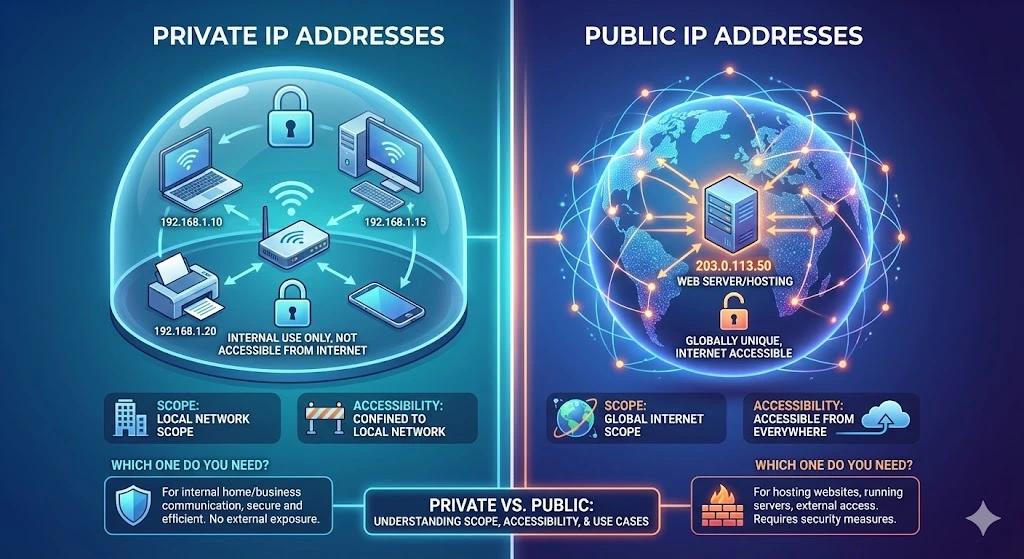
The primary difference between private and public IP addresses lies in their scope and accessibility:
- Scope: Private IP addresses are confined to a local network and are not accessible from the internet. Public IP addresses, on the other hand, are globally unique and enable devices to communicate across the internet.
- Accessibility: Private IP addresses are reserved for internal use within a network and are not directly accessible from the Internet. Public IP addresses are accessible from the internet, allowing devices to send and receive data to and from external networks and servers.
Which one do you need?
The choice between private and public IP addresses depends on your network configuration and requirements.
- Private IP Addresses: If you’re setting up a home or business network for internal use only, private IP addresses are sufficient. They provide a secure and efficient way for devices within the network to communicate without exposing them to external threats.
- Public IP Addresses: If you need your devices to be accessible from the internet, such as for hosting a website or running a server, you’ll need a public IP address. However, keep in mind that public IP addresses may attract security risks, so proper measures such as firewalls and security protocols are essential.
Private and public IP addresses
Private and public IP addresses serve distinct purposes in the realm of networking. Private IP addresses are used within local networks for internal communication, while public IP addresses facilitate communication with external networks and devices over the internet. Understanding the differences between the two types of addresses is crucial for designing and managing effective network infrastructures that meet your connectivity needs while ensuring security and accessibility.
i.Lease supports network operators and infrastructure teams that need to Buy IP Addresses, Sell IP Addresses, or use Lease IP Addresses for practical network expansion.
Also Read:
- Lease IP Addresses: Why Businesses Lease IPv4 and What to Check First
- Public IP vs Private IP: What Businesses Need to Know Before Scaling Infrastructure
- IP Address Marketplace: How to Buy, Sell, and Lease IPv4 Addresses Safely
FAQs
How do I find my Public IP address?
The easiest way to find your Public IP address is to type “What is my IP“ into a search engine like Google. Because your Public IP is assigned by your ISP to your router, every device in your home or office connected to that router will usually show the same Public IP.
Can someone hack me if they have my Public IP address?
Knowing a Public IP address is like knowing a home’s street address—it doesn’t give someone a key to the door, but it tells them where the house is. Hackers can use a Public IP to scan for open ports or unpatched vulnerabilities in your router. This is why using a Firewall and keeping your router’s software updated is essential.
What is NAT (Network Address Translation) and how does it relate to IPs?
NAT is a technology used by your router to act as a “translator.” It allows multiple devices with Private IP addresses in your home to share a single Public IP address to access the internet. This effectively conserves the limited supply of Public IPv4 addresses.
Related Posts
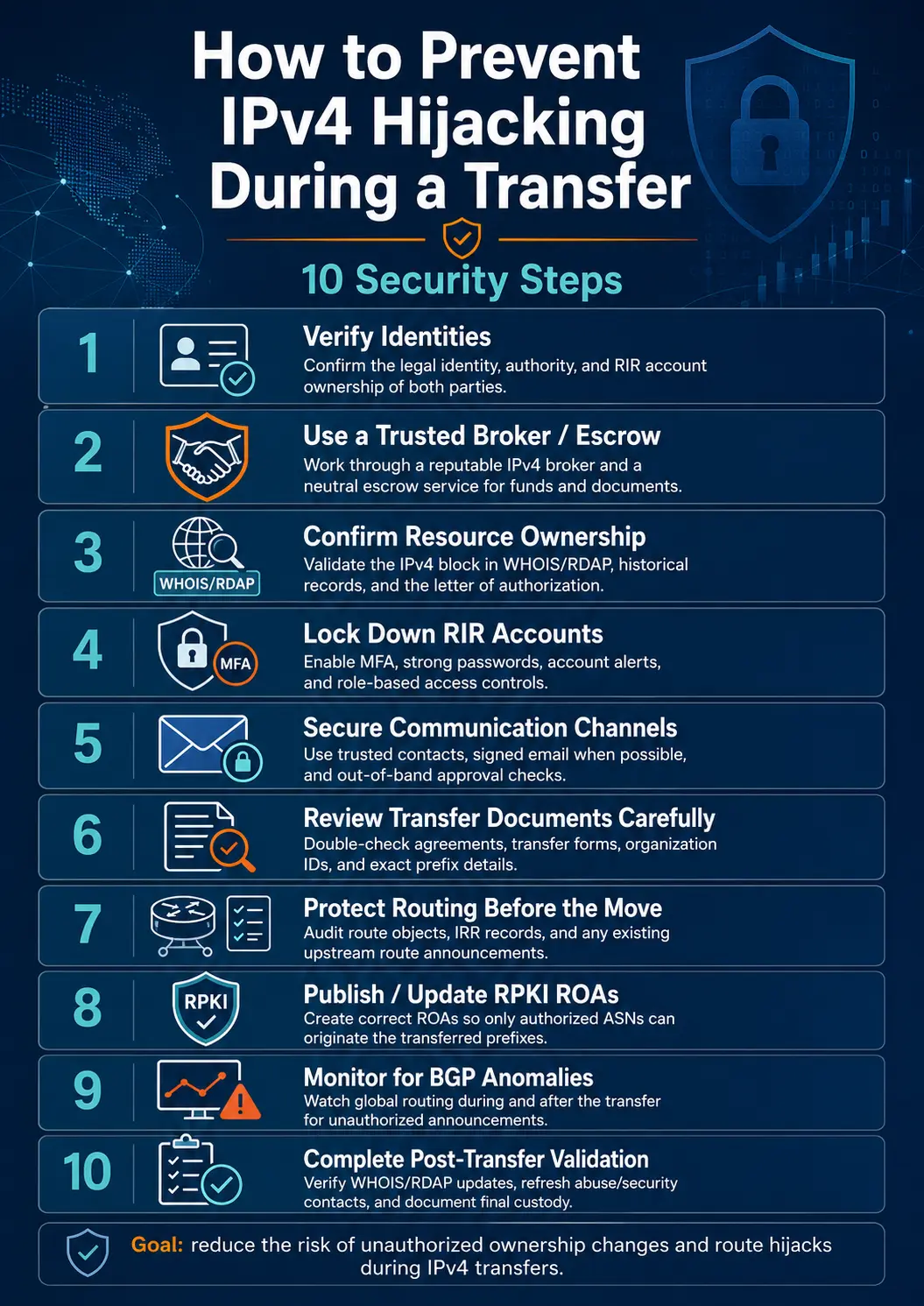
How to Prevent IPv4 Hijacking During a Transfer: 10 Security Steps
Transferring IPv4 address space is not only a commercial and registry process. It is also a sensitive routing operation. During an IPv4 transfer, control of a prefix moves from one organization to another. Registry records, Route Origin Authorizations, Internet Routing Registry objects, upstream-provider filters, reverse DNS settings, and live BGP announcements may all need to change. When these changes are completed in the wrong order—or when identity and authorizationRead more Related Posts How to Prevent IPv4 Hijacking During a Transfer: 10 Security Steps Transferring IPv4 address space is not only a commercial and registry process. It is also a sensitive routing operation. During Why the Cheapest IPv4 Lease May Cost More in the Long Run A low monthly price may look attractive during procurement, but the real cost of leased IPv4 addresses includes much more What Is a /24 IPv4 Subnet and Why Is It Popular for Leasing? A /24 IPv4 subnet is one of the most common block sizes in the IPv4 leasing market. For hosting providers, .related-post {} .related-post .post-list { text-align: left; } .related-post .post-list .item { margin: 5px; padding: 10px; } .related-post .headline { font-size: 18px !important; color: #999999 !important; } .related-post .post-list .item .post_thumb { max-height: 220px; margin: 10px 0px; padding: 0px; display: block; } .related-post .post-list .item .post_title { font-size: 16px; color: #3f3f3f; margin: 10px 0px; padding: 0px; display: block; text-decoration: none; } .related-post .post-list .item .post_excerpt { font-size: 13px; color: #3f3f3f; margin: 10px 0px; padding: 0px; display: block; text-decoration: none; } @media only screen and (min-width: 1024px) { .related-post .post-list .item { width: 30%; } } @media only screen and (min-width: 768px) and (max-width: 1023px) { .related-post .post-list .item { width: 90%; } } @media only screen and (min-width: 0px) and (max-width: 767px) { .related-post .post-list .item { width: 90%; } }
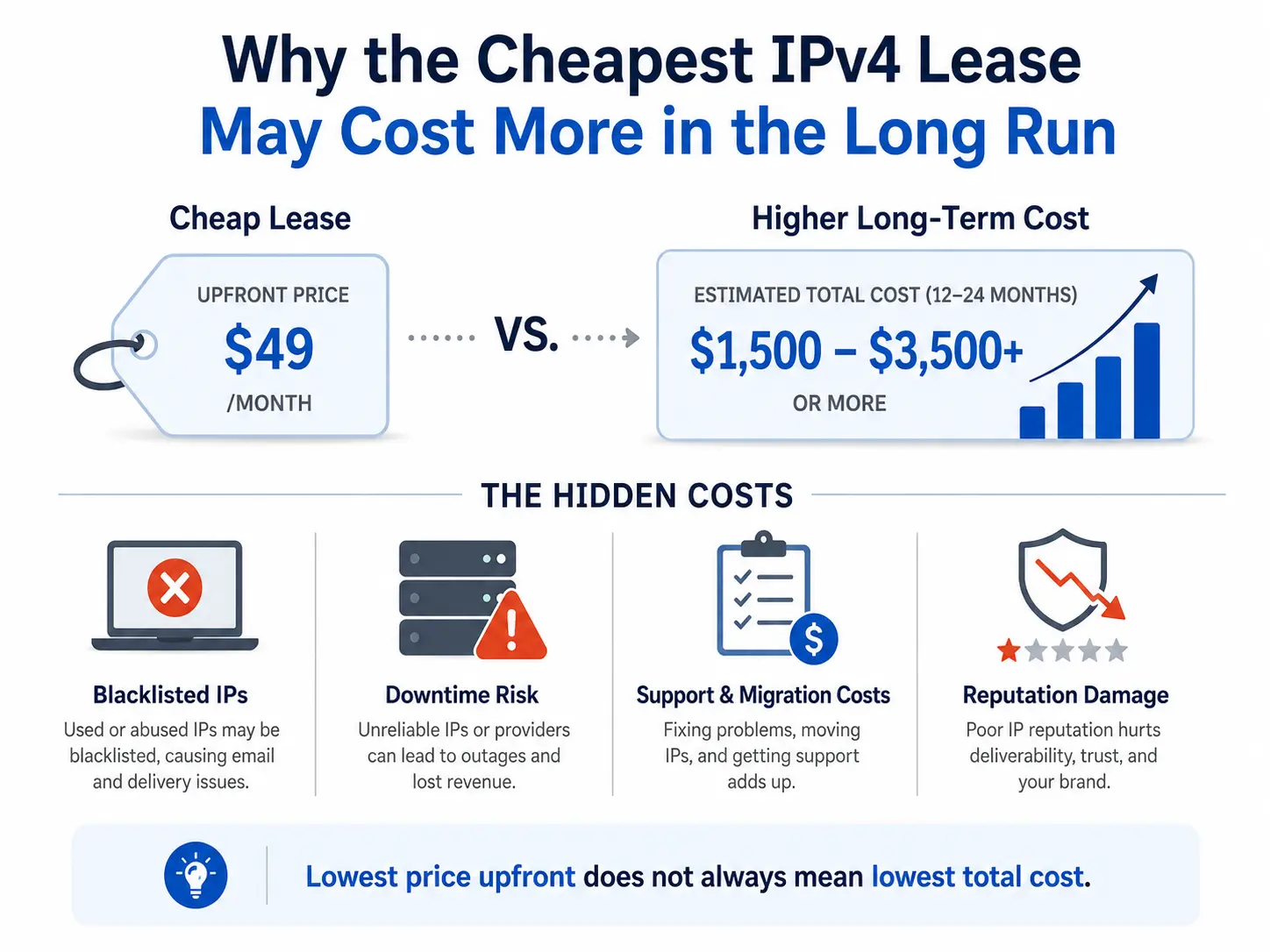
Why the Cheapest IPv4 Lease May Cost More in the Long Run
A low monthly price may look attractive during procurement, but the real cost of leased IPv4 addresses includes much more than the advertised rate. Poor IP reputation, incomplete routing authorisation, deployment delays, weak technical support, incorrect geolocation and uncertain renewal terms can quickly erase the initial saving. For testing or short-lived projects, a basic low-cost IPv4 lease may be sufficient. For production networks, however, businesses should evaluate the totalRead more Related Posts How to Prevent IPv4 Hijacking During a Transfer: 10 Security Steps Transferring IPv4 address space is not only a commercial and registry process. It is also a sensitive routing operation. During Why the Cheapest IPv4 Lease May Cost More in the Long Run A low monthly price may look attractive during procurement, but the real cost of leased IPv4 addresses includes much more What Is a /24 IPv4 Subnet and Why Is It Popular for Leasing? A /24 IPv4 subnet is one of the most common block sizes in the IPv4 leasing market. For hosting providers, .related-post {} .related-post .post-list { text-align: left; } .related-post .post-list .item { margin: 5px; padding: 10px; } .related-post .headline { font-size: 18px !important; color: #999999 !important; } .related-post .post-list .item .post_thumb { max-height: 220px; margin: 10px 0px; padding: 0px; display: block; } .related-post .post-list .item .post_title { font-size: 16px; color: #3f3f3f; margin: 10px 0px; padding: 0px; display: block; text-decoration: none; } .related-post .post-list .item .post_excerpt { font-size: 13px; color: #3f3f3f; margin: 10px 0px; padding: 0px; display: block; text-decoration: none; } @media only screen and (min-width: 1024px) { .related-post .post-list .item { width: 30%; } } @media only screen and (min-width: 768px) and (max-width: 1023px) { .related-post .post-list .item { width: 90%; } } @media only screen and (min-width: 0px) and (max-width: 767px) { .related-post .post-list .item { width: 90%; } }
What causes IPv4 deals to stall after the first agreement
IPv4 deals usually stall after the first agreement because agreeing on price is only the commercial beginning—not operational completion. A buyer and seller may agree on a block and price within hours, but the transaction can still be delayed by unclear ownership, incomplete documents, mismatched Regional Internet Registry requirements, recipient eligibility, reputation concerns, payment conditions, or missing routing authorization. The most common causes are: The seller’s authority over theRead more Related Posts How to Prevent IPv4 Hijacking During a Transfer: 10 Security Steps Transferring IPv4 address space is not only a commercial and registry process. It is also a sensitive routing operation. During Why the Cheapest IPv4 Lease May Cost More in the Long Run A low monthly price may look attractive during procurement, but the real cost of leased IPv4 addresses includes much more What Is a /24 IPv4 Subnet and Why Is It Popular for Leasing? A /24 IPv4 subnet is one of the most common block sizes in the IPv4 leasing market. For hosting providers, .related-post {} .related-post .post-list { text-align: left; } .related-post .post-list .item { margin: 5px; padding: 10px; } .related-post .headline { font-size: 18px !important; color: #999999 !important; } .related-post .post-list .item .post_thumb { max-height: 220px; margin: 10px 0px; padding: 0px; display: block; } .related-post .post-list .item .post_title { font-size: 16px; color: #3f3f3f; margin: 10px 0px; padding: 0px; display: block; text-decoration: none; } .related-post .post-list .item .post_excerpt { font-size: 13px; color: #3f3f3f; margin: 10px 0px; padding: 0px; display: block; text-decoration: none; } @media only screen and (min-width: 1024px) { .related-post .post-list .item { width: 30%; } } @media only screen and (min-width: 768px) and (max-width: 1023px) { .related-post .post-list .item { width: 90%; } } @media only screen and (min-width: 0px) and (max-width: 767px) { .related-post .post-list .item { width: 90%; } }
